Define your model’s Persona
The voice, tone and limits the AI embodies in every message.
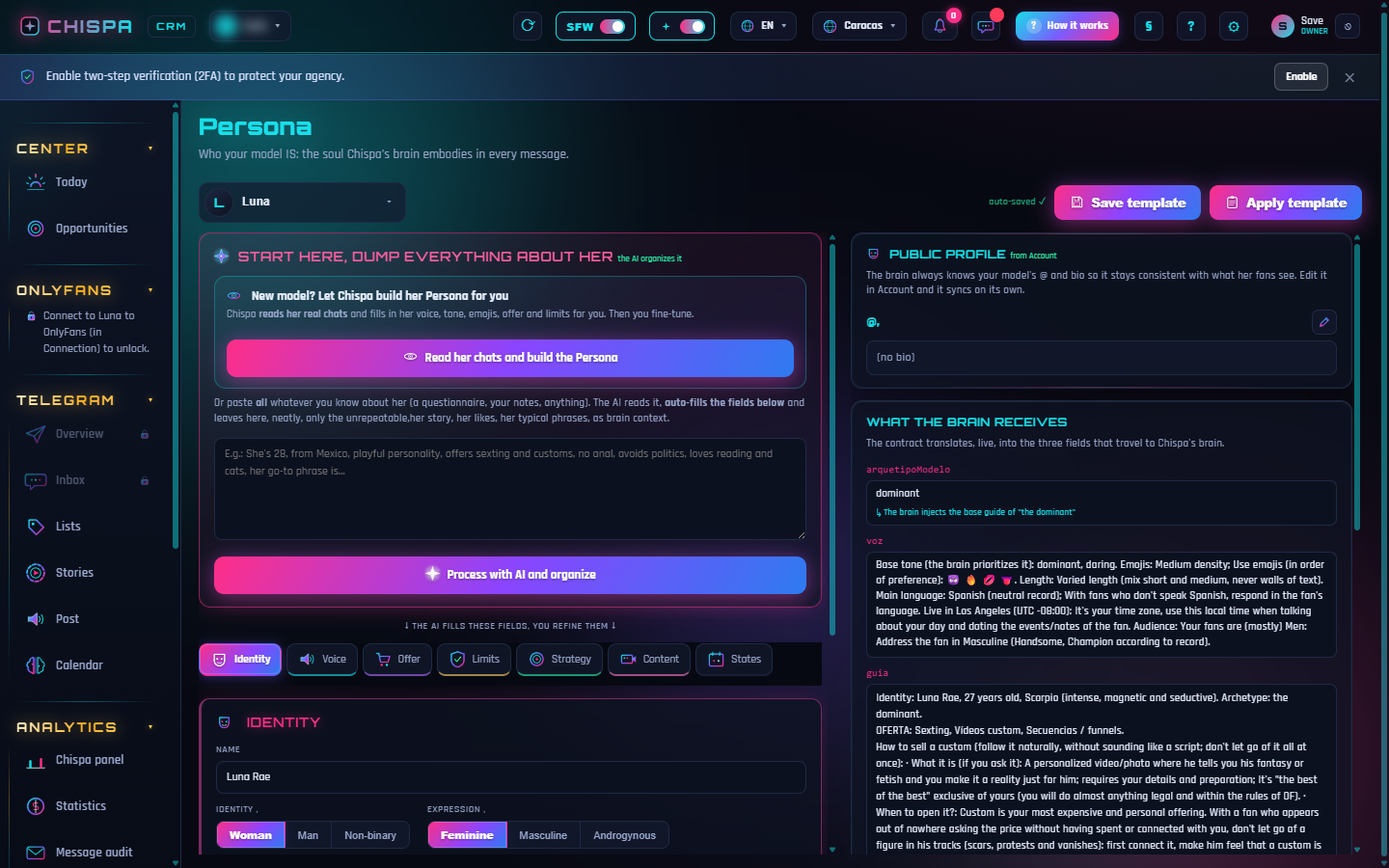
The Persona is the soul of your model: who she is, how she talks, what she offers and what she'd never do. It's what separates a chat that sells from one that scares fans off.
How to define it
- Go to Engine › Persona. You can let Chispa build it by reading the model's real chats, or pour in everything you know about her.
- Fine-tune the tabs: Identity (name, age, archetype), Voice (tone, emojis, catchphrases), Offer, Limits, Strategy and Content.
- Save. The brain injects that guide into every message, live.
tip The more specific the Persona (vocatives, typical phrases, how she sells a custom), the more natural and salesy the AI sounds.
The more concrete the Persona — verbal tics, limits, a little backstory — the more human the AI sounds. You can fine-tune it anytime.
Try it yourself
Open Chispa and play with this section using your own data.
Was this helpful?